Regelneef 19.6
Docx support in document layouts

Merging to .docx
When merging Word layouts, .docx files are now always created instead of .doc files. A noticeable difference is that file sizes are often significantly reduced with this format.
The layouts themselves can now also be in .docx format; it is no longer necessary to use .doc files for this purpose. Existing .doc layouts can therefore be replaced by the .docx format layout if desired.
Conversion of .doc layouts to .docx
Regelneef also offers a tool for converting an existing layout to .docx:
Select ‘Show maintenance options’
Highlight the layout that needs converting
Click the Doc > Docx button, and confirm the prompt
Once the conversion is complete, the new file size will be immediately visible in the list, and the conversion button will no longer be displayed for this layout.
Drag a file into Regelneef
It is now possible to drag an import file onto the toolbar to start importing that file straight away. This could be, for example, an XML or Excel file containing one or more newly registered employees who need to be added to Regelneef. This feature therefore saves a lot of effort.
The new button shown below is for ‘Import employees’. A file to be imported can be dragged onto this button from, for example, Outlook or File Explorer. If Regelneef recognises the file as a valid import file, it is opened and validated immediately in the import screen.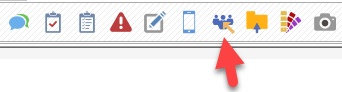
Support is now available for importing driving licence categories (A, B, BE, etc.) and own transport details.
Car details in the Regelneef app
Car details are now also available in the app:
Viewable per car:
Basic details and remarks
Contacts
Car usage (drivers and passengers)
Regelneef archive
For an employee, the current car and accommodation are immediately visible, and the details can be opened
Evaluations
When a person’s evaluations are opened (from their details screen):
a filter is now automatically applied to that employee in the selection of placements when data is entered.
the ‘Via employee’ entry option no longer displays a selection screen, but instead creates a new evaluation for the relevant person straight away.
The ‘Via employee’ entry option was not always available; this has been rectified.
Miscellaneous
Entering, amending or deleting absences from the employee planboard now works correctly in conjunction with the selected date.
