Regelneef 25.1
Temporary worker -> Employee
Regelneef now uses the Dutch term ‘medewerker’ (employee) instead of ‘uitzendkracht’ (temporary worker), as it better fits many real-world situations.
This renaming has been implemented almost everywhere, with the exception of, for example, merge codes, where the abbreviation ‘uzk’ will remain in use.
Setting a fee upon placement
When a placement is made, an amount can now be recorded as a fee. The intended use for this is to record the fee that, for example, an intermediary is to receive per hour worked.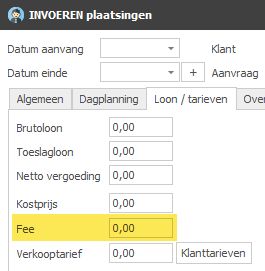
The fee has been made available in columns for the employee planlist and weeksheets.
In the man-day statements for intermediaries, the fee is shown as an amount per week (hours * fee) and as a total amount per intermediary.
Display of new import files on the toolbar
It is now immediately apparent when an import file has been received via the API. This is because the toolbar displays the number of files in the import inbox. When new files are added or deleted after import, this number is updated in real time.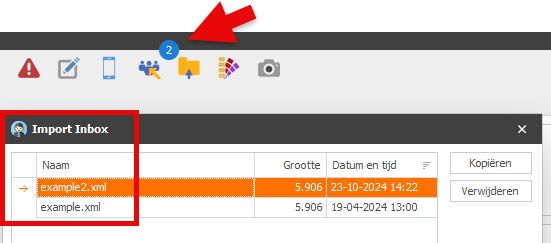
Additional information in the employee planboard, via a new pop-up
In this planboard, a pop-up now appears when the cursor is hovered over a day cell. A summary is then displayed, the content of which depends on the type of entry.
For example, alongside the planned number, the following can be seen:
A summary of any absence details for the employees scheduled for that day
In the case of a request: the number requested for that day, the request description and the requested discipline.
Information about users of a screen list
When editing a screen list, it is useful to know whether the change will apply only to you, or whether it will also affect others. If there is only one screen list, the change will apply to everyone. If there are several, it is useful to know who is currently using this definition.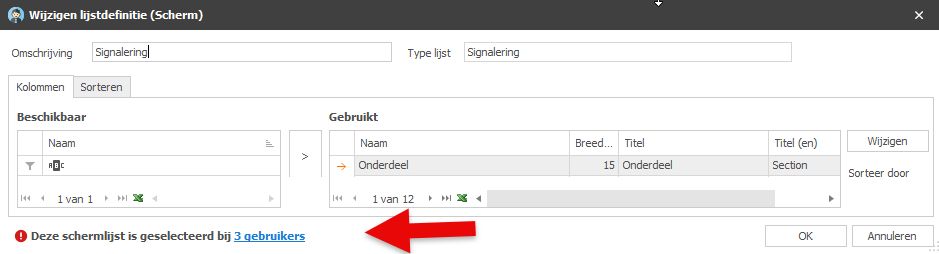
This information is now displayed at the bottom of the details screen for a screen list definition.
Actions in the app
The November update to the Regelneef app has added support for actions. The full list of actions is available in the main menu, and on many detail screens – such as the employee’s screen – action buttons are now available to view, edit or add new actions.
Improvements to alerts
In the English version, the various alert items and components are now also in English.
The alert for ‘retention period inactive’ now displays the actual period (2, 5 or 7 years) instead of A, B or C.
Entering an invoice number on multiple weeksheets
In lists of weeksheets, a new option ‘Edit multiple weeksheets’ has been added, allowing the same invoice number to be assigned to all selected weeksheets in one go.
Miscellaneous
The language selection on the login screen is now automatically saved for each user on a Windows system.
Setting mandatory fields in ‘Maintenance’ now supports the English language setting.
The employee import module now also recognises certificates that do not have exactly the same uppercase or lowercase letters.
